


Solitaire - Brain Training
4.872.00 Reviews
App Specs
- Version
- 1.8.3
- Updated On
- License
- Free
- Downloads
- 10,000+
- Developer
- KST GAMES
- Categories
- Card
- Platform
- Android
Screenshots

 Analysis by AppCompare
Solitaire - Brain Training is the kind of card game I can open without preparing for a long session. It presents the familiar Klondike format in a straightforward way, with large cards that make the board easier to read than many compact solitaire games. I found that simplicity reassuring on the first launch: there is no need to learn a new card system before playing, and the goal becomes clear almost immediately.
Developed by KST GAMES, this free card game is aimed at a broad audience, including people who want a calm pastime and players who prefer a more readable layout. Its age rating is Everyone, so it is suitable for a family-friendly setting. The store summary points toward classic Klondike, seniors, and big cards, and that description matches the practical character of the experience more closely than a flashy arcade-style presentation would.
My overall impression is positive, but I would not describe it as a complete replacement for every solitaire alternative. It works best when I want a familiar puzzle, a gentle mental warm-up, or something to play in short pauses. If you are looking for a deep collection of card variants, competitive online play, or a heavily customized visual experience, you may find its focused approach too limited.
Getting comfortable with the classic card layout
I found the classic layout easiest to learn by treating each tableau column as a small puzzle rather than scanning the whole board for any legal move. That keeps the first decisions manageable and helps me notice which play will uncover a card or preserve a useful sequence. Once that rhythm feels comfortable, the next step is learning how to handle the stock without letting each draw dictate the game.
What the first game feels like
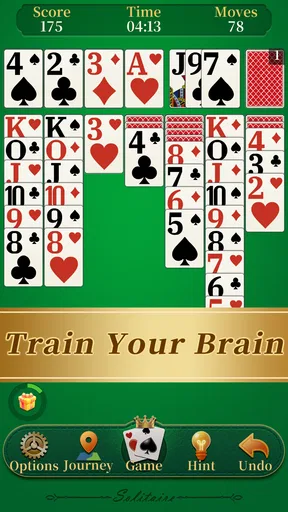
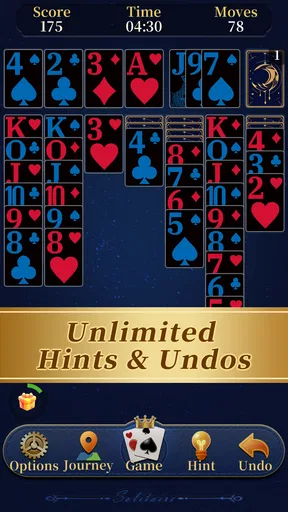
The first useful thing to understand is that this is traditional Klondike rather than an unusual reinterpretation. The board uses the familiar arrangement of face-down and face-up cards, a stock for drawing cards, foundation spaces for building suits, and tableau columns where cards are moved in descending order with alternating colors. If you have played Windows Solitaire or another standard version, the basic rhythm should feel natural.
For a first-time player, the important objective is not to move everything quickly. I recommend looking for face-down cards that can be uncovered, because revealing hidden cards usually creates more useful choices than immediately filling a foundation with every available card. That small change in focus makes the opening turns less confusing and gives the game a clear sense of progress.
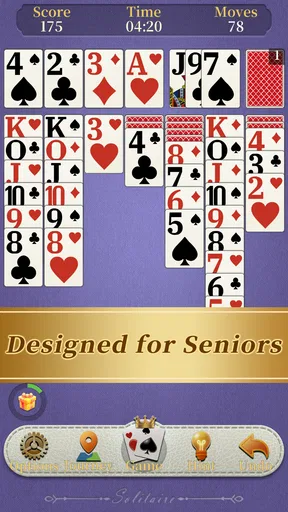
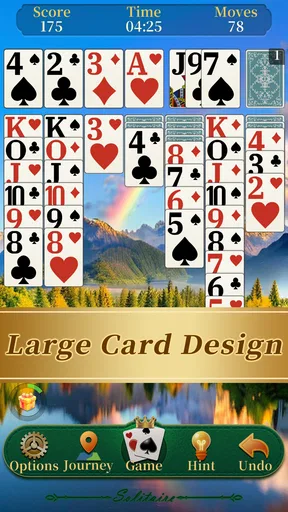
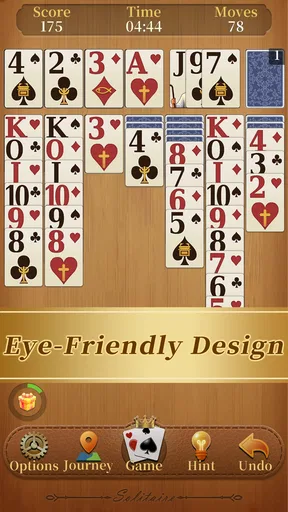
The large-card presentation is more than a cosmetic choice. When card faces and suits are easier to distinguish, I spend less time squinting at small symbols and more time thinking about the actual move. This matters particularly on a phone held in one hand, where a dense layout can make taps feel uncertain. Players with weaker eyesight or anyone who simply dislikes cramped interfaces will likely appreciate this design priority.
Worth Reading Before You Choose

Flipboard Shows What News Apps Must Do Beyond the Feed

Switching to Android Auto Means Rethinking Your Driving Routine

Google Calendar Makes a Crowded Week Easier to Manage

Ludo King Makes the Most of the Minutes Between Plans

Baby Panda World Brings Quick Play to Modern Phones, but Its Game Library Feels Busy

ESPN’s Live Game View Makes Following Close Games Easier
At the same time, larger cards can make the board feel less information-dense. You may need to scroll your attention across the tableau rather than seeing every possible move at a glance, especially on a smaller display. I consider that a reasonable trade-off: the game favors clarity over squeezing every element into the smallest possible space.
Installing and beginning without overthinking it
The game is free to download, and it requires Android 8.0 or later. That makes compatibility fairly approachable for people using an older but still serviceable Android phone. The current version is 1.8.3, so before installing, I would simply check that the device meets the operating-system requirement and has enough room for another casual game.
Once it is open, I suggest starting with a relaxed mindset rather than trying to solve the first deal perfectly. Solitaire rewards attention, but a new player can easily become stuck by assuming every card must be moved as soon as it becomes available. Instead, pause after each move and ask two questions: does this uncover a hidden card, and does it create a useful empty space or sequence?
That habit is a practical first setup in itself. You are learning how the board communicates possibilities, not just pressing whatever card looks movable. I found that this approach reduces the feeling that the game is random or opaque. Even when a deal does not work out, you can usually identify whether the trouble came from using a column too early, delaying a reveal, or drawing a card without considering what it blocked.
Because the game is rated for Everyone, it can also work as a simple introduction for a relative who is not comfortable with modern games. I would still sit beside a first-time player during the opening deal and explain the color rule with physical language: a black card can receive a red card one rank lower, and a red card can receive a black card one rank lower. After that, the board tends to teach the rest through repetition.
The first meaningful success
A satisfying early milestone is not necessarily winning a complete game. For a beginner, I would define success as uncovering a face-down card and then using the newly opened space to improve the tableau. That sequence shows why the game is more than simply moving cards into neat piles: each choice changes what can become available next.
For example, imagine a red eight currently covering a face-down card. If a black nine is available, moving the eight onto that nine may expose the hidden card. The move is valuable because it increases information. If the revealed card helps connect another sequence, you have created momentum without needing a complicated strategy.
Empty columns deserve special attention. A vacant tableau space can accept a king, or a sequence beginning with a king, and that can unlock a blocked group of cards. New players often treat an empty column as a mistake, but I see it as a tool. The best time to create one is usually when you already know which king or king-led sequence can use it, rather than clearing a column simply because you can.
Another useful early rule is to avoid sending every available low card to the foundations immediately. Building foundations is necessary, but a card that looks ready for a foundation may still be useful in the tableau if it helps alternate colors or exposes a hidden card. I do not follow this rule rigidly, because leaving a card in place can also block progress, but it is a good safeguard against hurried play.
When I want a quick session, I use the opening phase as a small concentration exercise. I scan for face-up cards that can reveal hidden ones, check whether any foundation move is genuinely helpful, and then inspect the stock. This takes only a moment and gives the game a repeatable routine, which is especially helpful when playing during a coffee break or while waiting for an appointment.
Where new players commonly hesitate
The most common confusion is the difference between moving a single card and moving an entire valid sequence. A descending run with alternating colors can usually be treated as a connected group, but it is easy to focus on the top card and overlook the cards beneath it. Before tapping, I look at the whole column and check whether the destination can accept the complete sequence.
Another point that catches beginners is the foundation order. Each suit begins with its ace and then advances upward one rank at a time. You cannot place a higher card there just because it is the same suit. If a foundation seems unavailable, that does not necessarily mean the deal is finished; the needed lower card may still be hidden in the tableau or waiting in the stock.
The stock can also create uncertainty. Drawing a card is not automatically progress, and a tempting card may be more useful later than it appears now. I recommend checking the tableau before each draw. If the visible stock card can be used to uncover a hidden card or rearrange a blocked column, play it first. If it merely moves the same problem around, consider whether another tableau action should come before it.
Players who are used to fast, automatic solitaire may find the larger-card approach slightly slower. That is not a flaw for everyone, but it changes the feel. The game encourages deliberate taps, and I would not choose it if my priority were speed-running deals or fitting a game into the smallest possible visual footprint.
There is also a mental trap in treating every failed deal as a personal mistake. Klondike involves planning, but the order of cards can leave difficult situations. I judge my play by whether I made sensible choices with the information available, not only by whether the final foundations were completed. That makes the experience more relaxing and keeps the brain-training angle from becoming pressure.
How I would use it in everyday life
My favorite use case is a short, quiet break when I want something more engaging than scrolling but less demanding than a strategy game. I can begin a deal, make a few careful moves, and stop after reaching a natural pause. The familiar rules mean I do not spend the whole break learning systems, menus, or objectives.
It also suits older family members who may find small card symbols tiring. I would recommend adjusting the phone’s general display settings if needed, then holding the device at a comfortable distance and using the large cards as the main visual guide. The game’s simplicity makes it easier to explain than a card app filled with modes, bonuses, and unfamiliar terminology.
For concentration practice, I use a more deliberate workflow. First I identify possible moves that uncover hidden cards. Next I check whether an empty column can be used intelligently. Only after that do I commit to foundation moves that might remove useful tableau cards. This is not a guaranteed winning formula, but it turns a casual deal into a small exercise in sequencing and consequence.
One less obvious benefit is that the game can help someone rebuild confidence with touch controls. A person who is uncertain about tapping tiny buttons may find a card-based board easier to understand because each action has a visible result. I would still introduce it slowly, explaining one move at a time rather than assuming the player knows why a card is legal.
On the other hand, I would skip it for children or adults who need constant novelty. The classic format has depth in its decisions, but not in the sense of a changing world, character progression, or varied missions. It is a focused solitaire experience, and its appeal depends on whether repeating a familiar puzzle feels calming or repetitive to you.
How it compares with other solitaire choices
Compared with a standard solitaire app that packs in many variants, this game has a clearer identity. Its emphasis is on classic Klondike and readable cards rather than presenting a large menu of unrelated formats. I prefer that when I already know which game I want to play and do not want to navigate through several modes before starting.
A more feature-heavy alternative may be better for someone who wants Spider, FreeCell, Pyramid, daily challenges, elaborate statistics, or a stronger sense of progression. Those extras can make a card app feel more like a long-term hobby. Here, the attraction is the direct path from opening the game to arranging cards, so players should choose based on that difference.
Against a minimalist solitaire game, the large-card focus gives this one a more accessible feel. Minimal layouts can be elegant, but they sometimes rely on tiny icons or compact spacing. I find this approach more comfortable when playing on a phone rather than a tablet, although people with large screens and excellent eyesight may not consider the distinction important.
It also differs from competitive card games because the satisfaction comes from solving the tableau, not from defeating another person. There is no need to wait for an opponent or manage a social match. That makes it appropriate for private, offline-style moments of concentration, but less suitable if you want interaction, rivalry, or a shared multiplayer activity.
What the audience response suggests
The game has an average rating of 4.8 from around 350 ratings, with roughly 70 written reviews, and it has passed 10 thousand installs. Those figures suggest that the focused presentation is resonating with an early audience, particularly people who value the classic format and readable cards. I treat that response as encouraging rather than conclusive, since personal preferences about card size and available modes still matter more than a single average.
The developer, KST GAMES, has positioned the experience around accessibility and familiarity instead of spectacle. In my use, that makes the app easy to recommend to someone who asks for “just normal solitaire” and does not want a complicated gaming platform. It is also a sensible choice for a shared household device where different people may want to pick it up and understand it quickly.
Who should choose it and who should pass
I would recommend it to a first-time solitaire player, someone who finds small cards uncomfortable, and anyone who wants a calm card puzzle with a recognizable rule set. It is particularly appealing if your ideal session begins immediately, uses familiar decisions, and ends without demanding a long commitment.
I would be more cautious about recommending it to experienced solitaire players who are specifically searching for multiple variants or advanced long-term tracking. A dedicated multi-game collection may offer more variety. Likewise, if you want social competition, animated rewards, or a strong progression system, this focused Klondike experience may feel too quiet.
Before deciding, ask yourself whether large, readable cards are a priority. If the answer is yes, the design choice is meaningful rather than decorative. If you mainly care about having the greatest number of modes in one download, the same simplicity may feel like a limitation.
My final way to approach the game
I see Solitaire - Brain Training as a dependable small game rather than an ambitious card platform. Its strength is the clean learning curve: open it, recognize the board, uncover a hidden card, and gradually understand why one move is safer than another. That makes the first successful action feel achievable without removing the thoughtfulness that keeps Klondike interesting.
My advice is to play the first few deals slowly, prioritize revealing hidden cards, and treat empty columns as planned resources instead of accidental gaps. If a deal becomes stuck, review the choices rather than rushing through the remaining cards. That simple method gives the game more value than its short store description suggests.
For me, the best reason to install it is the combination of classic Klondike rules and genuinely readable cards. The free price and Everyone rating make it easy to try, while the modest, focused design makes its audience clear. I would keep it on my phone for quiet breaks and recommend it to a friend who wants familiar solitaire without visual clutter, while pointing more demanding players toward a broader card collection.
Pros
- Simple rules make it easy for beginners to start playing.
- Short rounds fit well into quick breaks or daily routines.
- Offline play is useful when traveling or without an internet connection.
- Familiar solitaire gameplay offers a relaxing
- low-pressure experience.
- Clear card interactions make the game comfortable on touchscreens.
Cons
- Limited variety may make the experience feel repetitive over time.
- Some deals can feel more dependent on luck than strategic thinking.
- Ads may interrupt play
- depending on the version and device.
- Brain-training benefits are modest compared with dedicated puzzle apps.
- Small cards or interface elements may challenge users on compact screens.
FAQs for Solitaire - Brain Training
What is Solitaire - Brain Training?
Solitaire - Brain Training is a card game centered on classic solitaire-style gameplay, usually based on arranging cards in ascending or descending order and alternating colors. Alongside traditional rounds, it may include timed challenges, daily tasks, score tracking, or progression features designed to make short sessions more engaging. It is suitable for casual players who want a relaxing game with light mental exercise.
Is Solitaire - Brain Training free to download and play?
The app can generally be downloaded without an upfront payment, but the exact free features may vary by platform and version. Some optional elements, such as removing advertisements, receiving extra hints, unlocking themes, or accessing additional challenges, may require in-app purchases. Before installing, check the store listing for current pricing, subscriptions, advertising details, and any restrictions affecting free gameplay.
Can I play Solitaire - Brain Training offline?
Many solitaire rounds can be played without a continuous internet connection, which makes the app convenient for travel, commuting, or areas with limited coverage. However, certain features may still require internet access, including advertisements, cloud synchronization, leaderboards, daily challenges, account services, or purchases. It is best to open the game online at least once and test the main modes before relying on offline play.
Does Solitaire - Brain Training really help improve concentration or memory?
The game can encourage attention, planning, pattern recognition, and short-term decision-making because players must evaluate card positions and choose moves carefully. Nevertheless, it should be viewed as casual entertainment rather than a scientifically proven treatment or complete brain-training program. Any cognitive benefits are likely to be modest and depend on regular play, while broader mental fitness also requires sleep, learning, physical activity, and varied challenges.
Is Solitaire - Brain Training suitable for children and older adults?
The simple rules and familiar card format can make the app accessible to both children and older adults, especially those looking for an easy game with adjustable pacing. Suitability still depends on the particular version, including advertising, purchases, privacy settings, text size, and accessibility options. Parents should review permissions and store ratings, while older players may want to check whether controls and card designs are easy to read.


